



3 Smart Tips to Maximize DTF Gang Sheet Space & Save More
Key Highlights
- Efficient layout planning reduces wasted film space and lowers overall DTF printing production costs significantly.
- Grouping similar designs together improves alignment which results in better cutting efficiency and faster production workflow.
- Proper resizing guarantees that designs will match all requirements while using maximum sheet space without affecting print quality.
- Design software tools automate the process of creating optimal gang sheet layouts by handling spacing duplication and arrangement tasks.
- Printing operations benefit from consistent file preparation methods which help decrease errors and minimize reprints while boosting profitability.
Designing an effective DTF gang sheet requires more than adding additional designs because it requires designers to use space through optimal design locations and precise element dimensions and their planning procedures. Gang sheet optimization provides small business owners and large production managers with a powerful tool to enhance their revenue through improved operational efficiency. Want to optimize sheet space for better savings? Read on.
This blog provides three effective methods that help you utilize every part of your DTF gang sheets while delivering high quality results and efficient operations. So let’s get started.
Plan Your Layout Strategically
The DTF gang sheet maximizes its available space through effective layout design. The best design approach requires designers to organize their work instead of placing their designs at random locations.
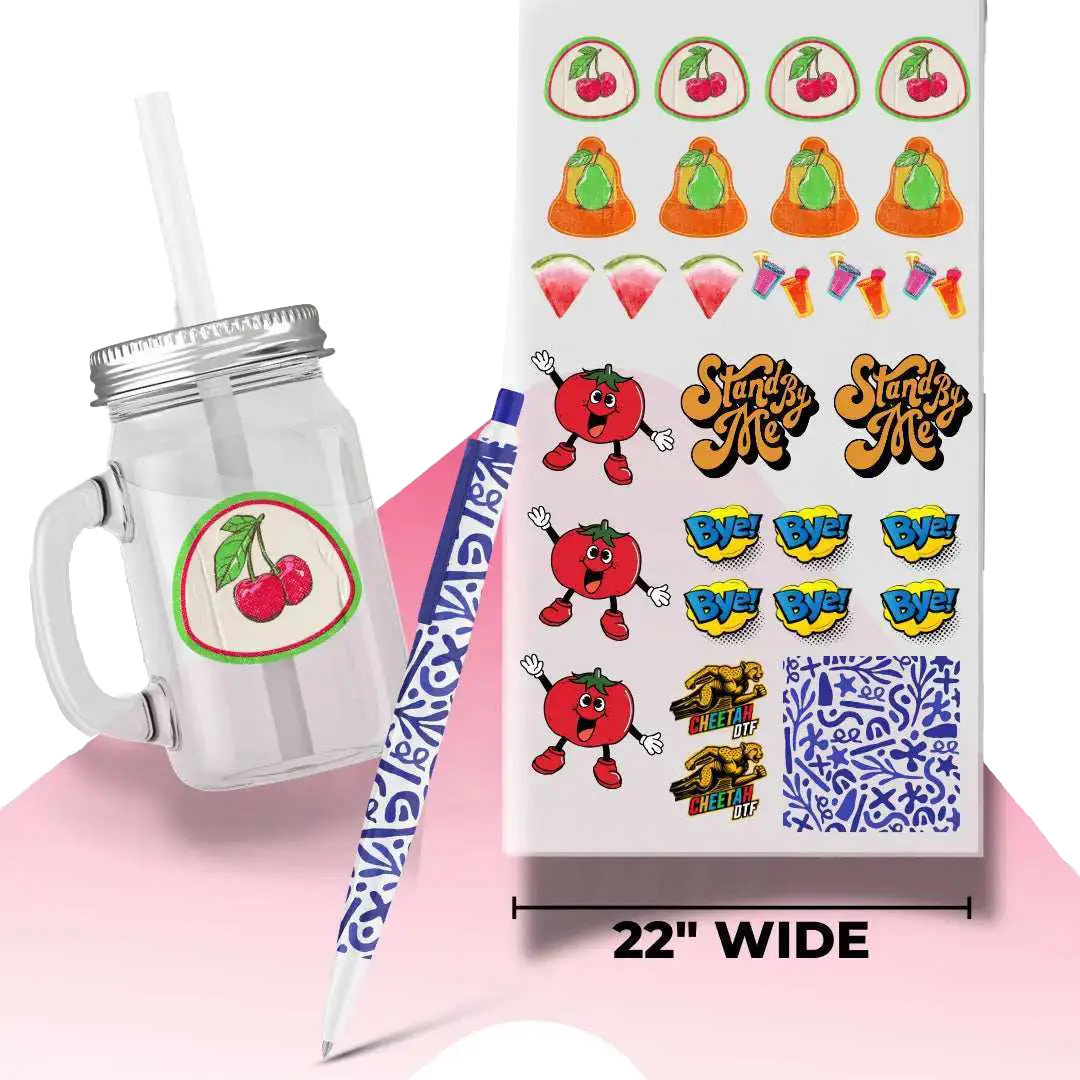
The first step requires you to arrange designs according to their dimensions and design elements. The process starts with placing the bigger designs first followed by adding the smaller designs to fill up the remaining areas. You should group the designs into similar design collections to reduce waste in DTF printing jobs. Efficient placement becomes easier through this method while cutting and sorting after printing become simpler.
Every inch counts when you’re trying to maximize output and reduce material waste. The right planning process enables you to achieve higher print quantities per sheet without losing print quality.
Optimize Design Sizing Without Compromising Quality
The most significant error which occurs during DTF gang sheet creation happens when designers select different design dimensions which exceed necessary requirements. The correct sizing process establishes optimal space usage which results in professional appearance and customer satisfaction through final printed materials.
To maximize DTF gang sheet space, you should first establish the print size requirements before you start placing designs onto the gang sheet. To ensure that, establish product size standards which apply to t-shirts and hoodies and tote bags. The standardized design process enables you to complete design work which needs to be spread across multiple sheets.
The design must keep its original resolution and clarity throughout the process because designers should always prioritize quality over design quantity. The high-resolution files maintain design integrity which enables designers to create visually complete designs through their selected design size.
Use Software Tools and Automation Features
The easiest way to create layouts is by using online software for DTF gang sheet setup. The combination of auto-arrange and duplication functions together with alignment guides creates a system which helps you work more efficiently while decreasing their chances of making mistakes.
Many programs allow you to duplicate designs quickly and arrange them in tight, uniform patterns. This process proves useful especially for bulk orders because designers need to produce the same design multiple times. Automation handles all spacing and alignment tasks thereby creating consistent results throughout the sheet without the need for manual copy placement.
Additionally, the nesting tools function as a valuable resource which automatically arranges designs into their most efficient layout for space usage. The tools determine your design elements' dimensions and shapes to create a layout that reduces unused space.
Conclusion
When it comes to building an effective gang sheet, you need to optimize the sheet strategically by placing or nesting smaller designs within and around the spaces left by the bigger designs. The strategic placement allows you to save more space and hence create better potential for savings.
Want to start saving? Try our Gang Sheet Builder without DTF Sample Pack today to start experimenting with space optimization.
FAQs
What are gang sheets and how do they optimize space?
The DTF gang sheet functions as a printing sheet which displays multiple designs for printing. The method enables printers to use materials more efficiently while they achieve lower printing expenses. The method enables businesses to print multiple designs simultaneously which enhances their operational efficiency through better workflows.
Why is maximizing space on a gang sheet important?
Maximizing space ensures you get the most value out of your materials which reduces waste and decreases production costs. The efficient layouts along with proper DTF gang sheet file requirements enable you to print additional designs on each sheet which results in higher profits.
How to make a DTF gang sheet?
Start by placing larger designs first and then fill in gaps with smaller ones. The design elements should be rotated whenever possible while grid alignment tools should be used to create design consistency. You can also use a design software with automatic arranging and nesting capabilities that increases efficiency and decreases the time needed for layout work.
What is the ideal spacing between designs?
The ideal spacing depends on your cutting method, but generally, a small consistent gap is recommended to avoid overlapping or cutting errors. Excessive spacing creates material waste whereas insufficient spacing leads to difficulties with the transfer process. To avoid DTF gang sheet layout mistakes, opt for equal spacing between elements for precise cutting and optimal gang sheet utilization.
What is the best strategy to optimize the DTF transfer sheet?
You can resize designs to fit more designs on a sheet. Designers use size changes for their work because it helps them utilize all available space in their designs. But you must maintain high resolution standards because they need to meet their customers' design expectations.
What software is most effective for producing gang sheets?
People frequently use Adobe Illustrator and CorelDRAW along with specialized DTF software as their preferred design software. You can improve work efficiency by selecting software that provides automation functions which will assist you in developing layouts that function optimally within a short time.
How does grouping designs help in production?
Grouping is the best way to use gang sheets DTF. The production process becomes more efficient through design grouping which leads to both printing and cutting work. The grouping enables designers to achieve better results through enhanced alignment possibilities together with improved spacing methods which drive better production results when handling multiple orders.
What are nesting tools in design software?
Nesting tools in design software arrange designs on sheets automatically by designing patterns that create minimum empty space. They examine each design's shape and size to determine the most efficient placement method.
Will resizing images or editing change the final image?
The process of maximizing space should not change printing results when it is executed according to proper procedures. The key is to maintain proper resolution, spacing, and alignment. The design should not be overcrowded because this will create problems during the transfer process.
What steps should I take to prevent the typical mistakes during gang sheet printing?
The process requires you to create your layout first which should include fixed dimensions and verified distance between elements before you proceed to print the design. The design needs to be placed precisely and all gaps should be eliminated.